Help Docs
HelmStation Online Documentation
Devices and New Macs
Your license and your charts reach your Macs in different ways:
| Which Macs | |
|---|---|
| Full License | Every Mac signed in to your Apple Account |
| HelmStation Store charts (S-63) | Up to three authorized Macs at a time |
| NOAA Chart Service | No limit |
| Third-party ENCs | Set by the provider. Each Mac needs its own 3rd Party ENC User Permit |
This page explains the three-Mac limit for HelmStation Store charts, and how to move to a new Mac.
Authorized Macs
S-63 chart subscriptions from the HelmStation Store can be used on up to three of your Macs at a time. A Mac that can use them is authorized. HelmStation downloads your Store charts only on authorized Macs.
How a Mac gets authorized. When you sign in on a Mac and fewer than three of your Macs are authorized, HelmStation authorizes it automatically. If all three slots are taken, the Mac stays unauthorized, and HelmStation tries again each time it opens. A Mac you have deauthorized stays deauthorized until you click Authorize on it.
Checking this Mac. In File > HelmStation Chart Account, the S-63 Devices line reads, for example, “This device is authorized (2 of 3)” or “This device is not authorized (3 of 3 in use)”. Click Manage… beside it to open Authorized Devices. You can also open it from the Authorized Devices section of Manage Account & Data Privacy. See Your HelmStation Account.
Authorized Devices
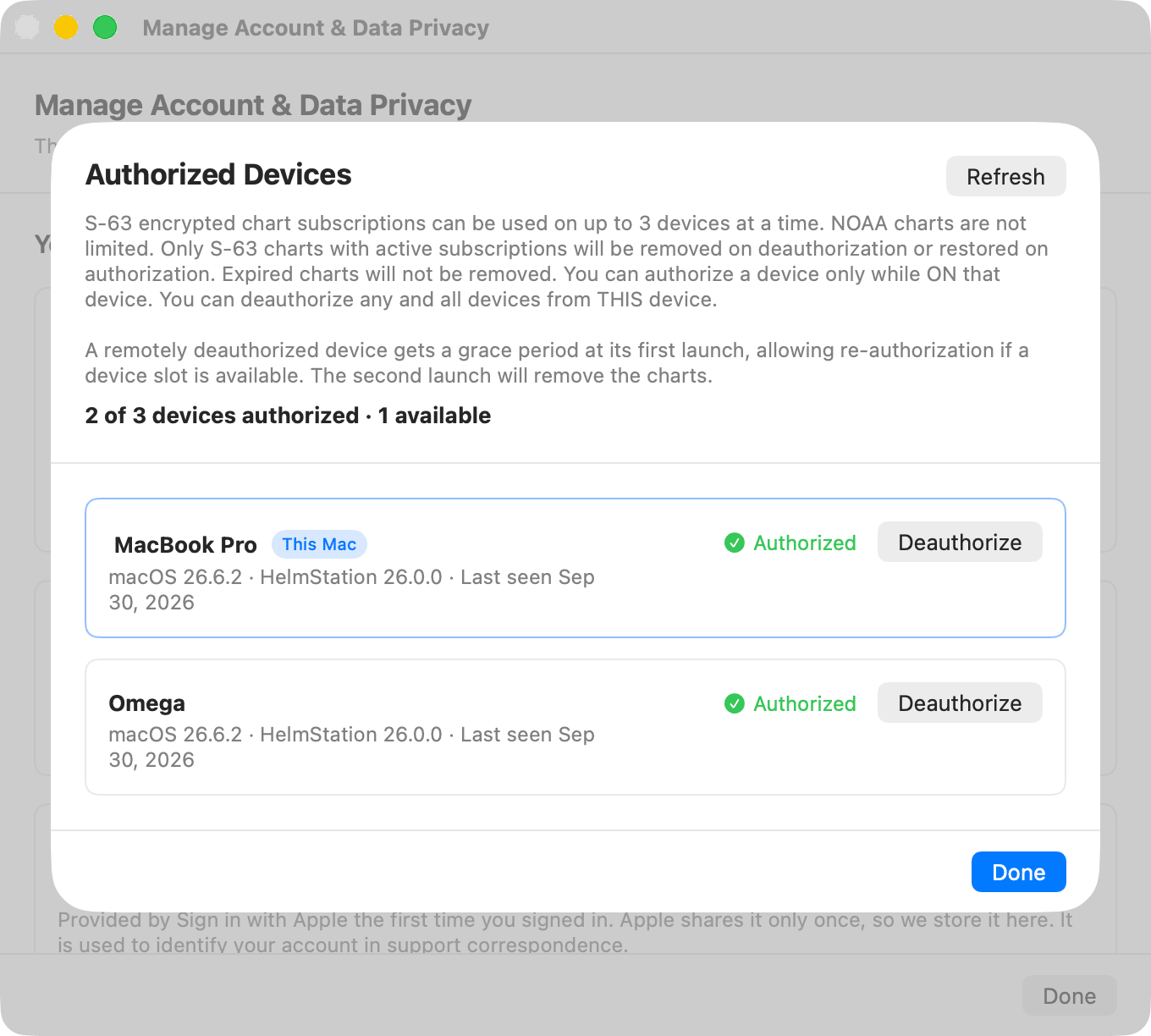
A notice at the top of the sheet explains the three-Mac limit and what deauthorizing does (see What deauthorizing does). Below it, the sheet shows how many Macs are authorized and how many slots are free, for example “2 of 3 devices authorized · 1 available”. Refresh reloads the list.
Each of your Macs is listed by its name in System Settings, with its macOS version, its HelmStation version and when it was last seen. The Mac you are using is marked This Mac. Each Mac shows Authorized or Not authorized.
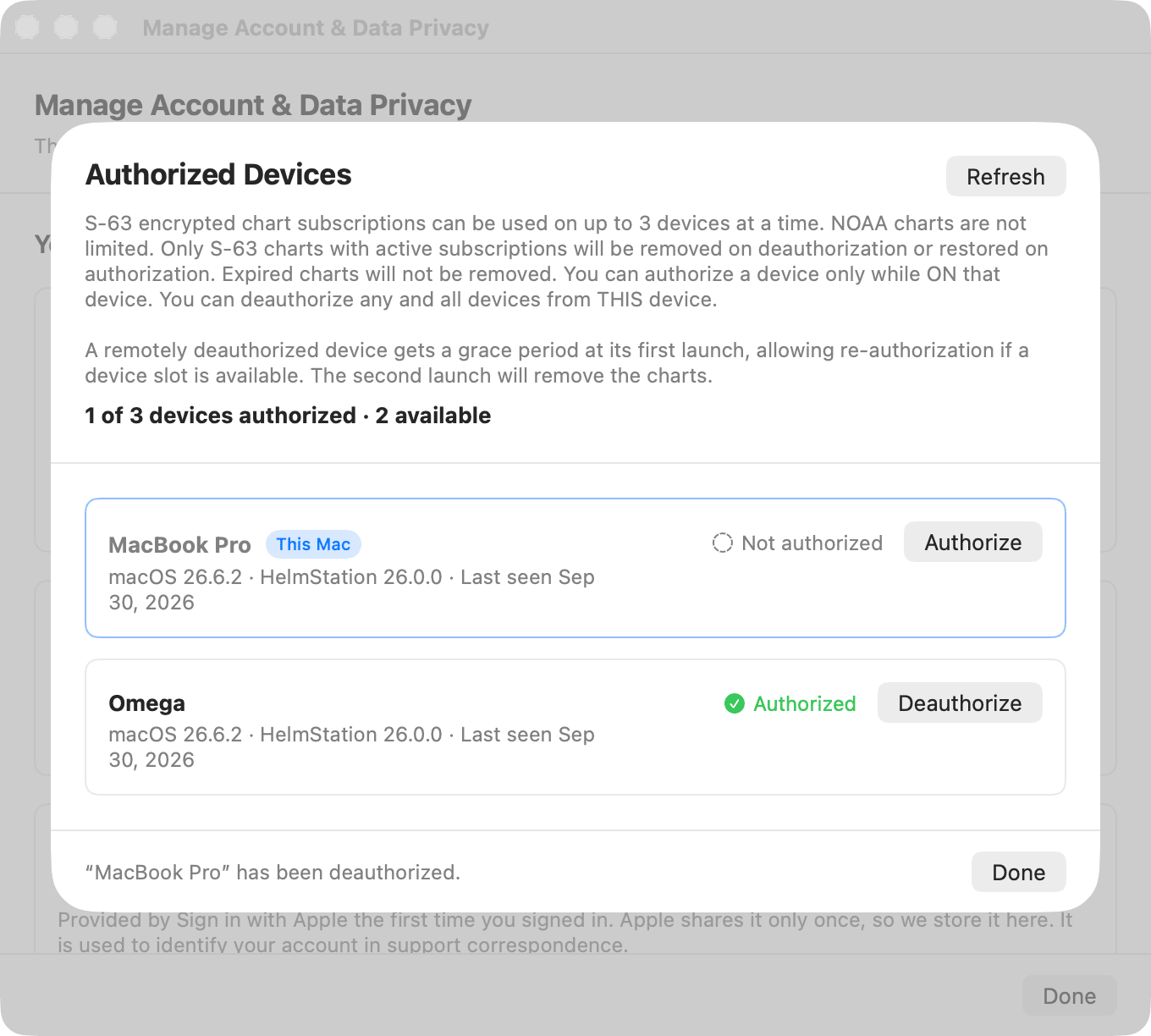
- Authorize appears on This Mac when it isn’t authorized. It works only while a slot is free. You can authorize a Mac only while you are using it: to authorize another Mac, open HelmStation on that Mac.
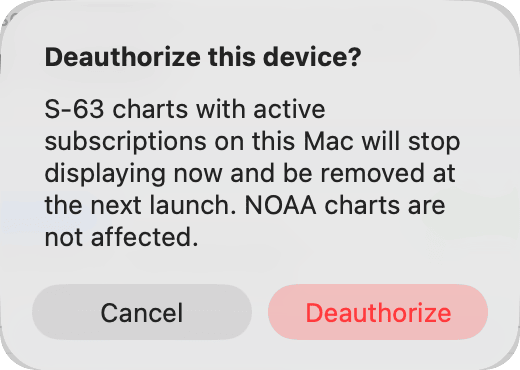
- Deauthorize appears on every authorized Mac, including This Mac. You can deauthorize any or all of your Macs from whichever Mac you are using. HelmStation asks you to confirm.
Making changes needs an internet connection. Offline, the sheet shows the last known state. Click Done to close it.
What deauthorizing does
Deauthorizing affects only HelmStation Store S-63 charts with active subscriptions. Those are the only charts it removes, and the only charts restored when the Mac is authorized again. It does not affect:
- expired S-63 charts, which stay on the Mac.
- NOAA charts.
- third-party ENCs.
A change of authorization, either way, takes full effect the next time HelmStation opens on the Mac concerned, not while it is running. The one exception is authorizing: once a Mac is authorized, you can click Sync Now in File > HelmStation Chart Account to download its charts straight away.
Deauthorizing This Mac. Its charts with active subscriptions stop displaying, and are removed the next time you open HelmStation. If you deauthorized This Mac by mistake, click Authorize before you quit. The next time HelmStation opens, everything is back to normal.
Deauthorizing another Mac. The next time HelmStation opens on that Mac, it runs in a grace period: its charts still work, but Authorized Devices shows it as Not authorized. While it’s in the grace period, you can authorize it again from that Mac, if a slot is free, and nothing changes when it next opens. If it isn’t authorized again, because no slot is free or you choose not to, its charts with active subscriptions are removed the second time HelmStation opens there after being deauthorized.
Authorizing a Mac again. Any Mac can be authorized again later. The charts whose subscriptions are active at that time are delivered to it again the next time HelmStation opens there, or straight away if you click Sync Now.
After buying charts on a Mac that isn’t authorized
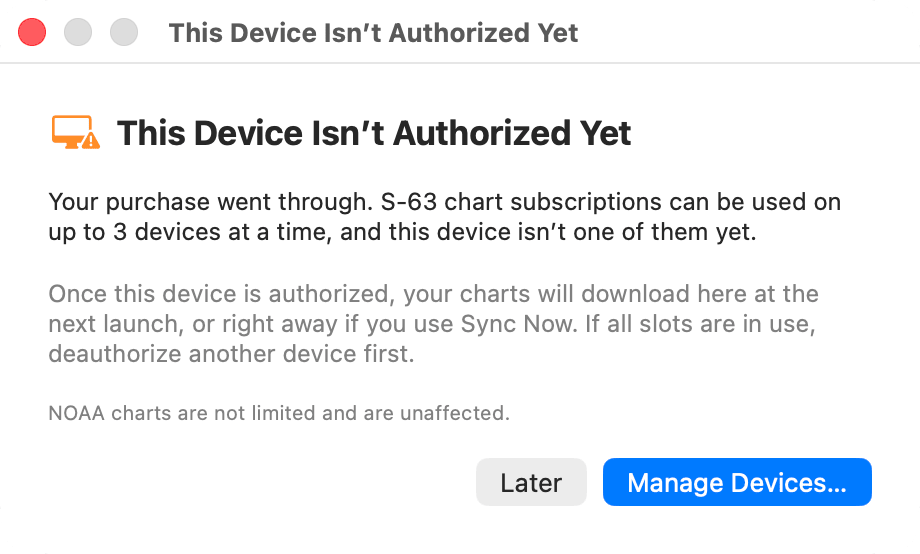
If you buy an S-63 chart subscription on a Mac that isn’t authorized, the purchase still goes through, and HelmStation shows This Device Isn’t Authorized Yet. Once this Mac is authorized, your charts download the next time HelmStation opens, or straight away if you click Sync Now in File > HelmStation Chart Account. Click Manage Devices… to open Authorized Devices, or Later to close the notice.
If more than three Macs are authorized
Occasionally two Macs are authorized at almost the same moment and the count goes over three. HelmStation then stops downloading S-63 charts, and when it opens it shows Authorized Devices with a red banner. Deauthorize a Mac to resume downloads. Nothing is removed in the meantime.
If this Mac belongs to another HelmStation account
HelmStation allows one account per Mac. If this Mac is registered to a different Apple Account from the one you’re signing in with, the Another HelmStation Account window appears before anything changes: “This Mac belongs to another HelmStation account”. This can happen when the Mac had a previous owner, when someone else uses HelmStation in another user account on this Mac, or when you used HelmStation here with a different Apple Account before reinstalling macOS or HelmStation. The window lists what continuing means.
- Quit HelmStation changes nothing, and HelmStation asks again the next time it opens. To use HelmStation as the other account, use the Mac user and Apple Account it was set up with.
- Continue with This Apple Account moves this Mac to your account. The other account can no longer use HelmStation on this Mac, its S-63 authorization here ends, and its 3rd Party ENC User Permit for this Mac is retired permanently. It keeps its license and chart subscriptions for its other Macs. Your account starts fresh on this Mac.
If the other account opens HelmStation on this Mac again, it sees the same window, and continuing there takes the Mac back.
This is separate from the Different Apple Account window, which is about the HelmStation content stored on this Mac. See Using a different Apple Account on this Mac.
Moving to a new Mac
- Install HelmStation on the new Mac from the Mac App Store and open it. See Installing and First Launch.
- Sign in with Apple using the same Apple Account as on your old Mac. A different Apple Account means a different HelmStation account, without your charts.
- HelmStation restores your Full License by itself. If it doesn’t, click Restore Purchases in the License window. See Trial and License.
- Check the S-63 Devices line in File > HelmStation Chart Account. If fewer than three of your Macs were authorized, the new Mac is authorized already. If not, click Manage…, deauthorize a Mac you no longer use (read “What deauthorizing does” first), then click Authorize on This Mac.
- Your active HelmStation Store charts download to the new Mac. With Auto Download on this happens by itself; otherwise click Sync Now. See Chart Account and Delivery.
- Expired charts may not come with you. Charts whose subscriptions have expired aren’t delivered to the new Mac, and aren’t guaranteed to work there even if copied or restored from a backup. Keep them on the old Mac until you’re sure you no longer need them.
- Choose your NOAA districts again in File > NOAA Charts. District choices are kept separately on each Mac. See NOAA Chart Service.
- For third-party ENCs, request a 3rd Party ENC User Permit for the new Mac, get permits for it from your provider, and add the charts again. Third-party S-63 charts are locked to the Mac their user permit was issued for, so copying them across or restoring them from a backup won’t work. HelmStation’s device management doesn’t cover them. See Chart Manager and Third-Party ENCs.
- Your waypoints, routes and tracks stay on the Mac where you made them. HelmStation doesn’t keep them in your account. On the old Mac, save your waypoints and routes to files from the Transfer submenu of the Waypoints and Routes menus, and open them on the new Mac with Transfer > From File…. A track can be saved to a file from the Track menu as a record of your passages, but HelmStation doesn’t open track files. See Waypoints, Routes and Tracks.
MacENCx64 users: HelmStation offers to bring your MacENCx64 data across only on a Mac that has MacENCx64 on it. On a new Mac there is nothing to migrate. If you are replacing the Mac that has MacENCx64, open HelmStation on it and migrate first, then move to the new Mac as above. Once carried over, your MacENCx64 registration and the NOAA Chart Service that comes with it apply on all your Macs. See What’s New for MacENCx64 Users.