Help Docs
HelmStation Online Documentation
Trial and License
HelmStation needs a license to run. You can use the free 14-Day Sea Trial or a Full License. Both are in-app purchases made with your Apple Account.
The HelmStation License window
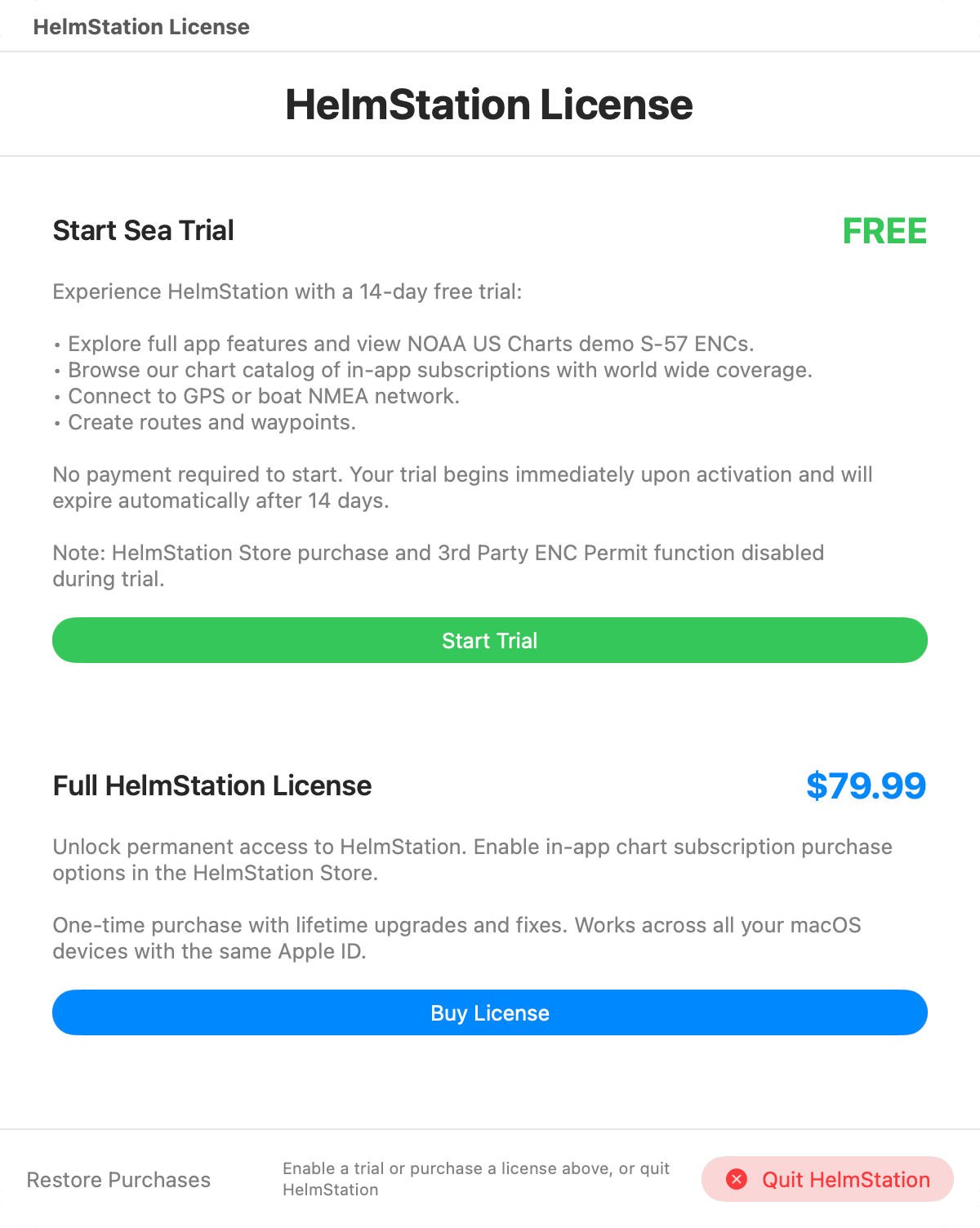
The HelmStation License window is where you start a trial, buy a license and restore a purchase. There is no menu command for it. HelmStation opens it for you when it’s needed:
- when you open HelmStation with no license, or after your trial has ended. The rest of HelmStation stays hidden until you start a trial or buy a license. Your only other choice is to quit. If you try to close the window, HelmStation asks whether you want to Quit HelmStation or Continue.
- each time you open HelmStation during your Sea Trial, as a reminder. You can close it and carry on.
- when you try to buy a chart without a Full License. The Full License Required alert appears. Click OK to open the License window.
- if Apple refunds your Full License.
14-Day Sea Trial
The Start Sea Trial card lets you try HelmStation free for 14 days. Click Start Trial and confirm with your Apple Account when asked. There is nothing to pay and no payment details are needed.
During the trial you can:
- use all of HelmStation’s charting and navigation features.
- view US NOAA charts through a preview of the NOAA Chart Service.
- browse the HelmStation Store catalog.
- connect to your GPS or your boat’s NMEA network.
- create waypoints and routes.
Two things need a Full License and are not available during the trial: buying from the HelmStation Store, and 3rd Party ENC permits.
The trial starts when you activate it and ends by itself after 14 days. You can start it once per Apple Account.
While the trial is running, the License window shows a Trial Status card with the Start Date, End Date, Days Remaining and Status.
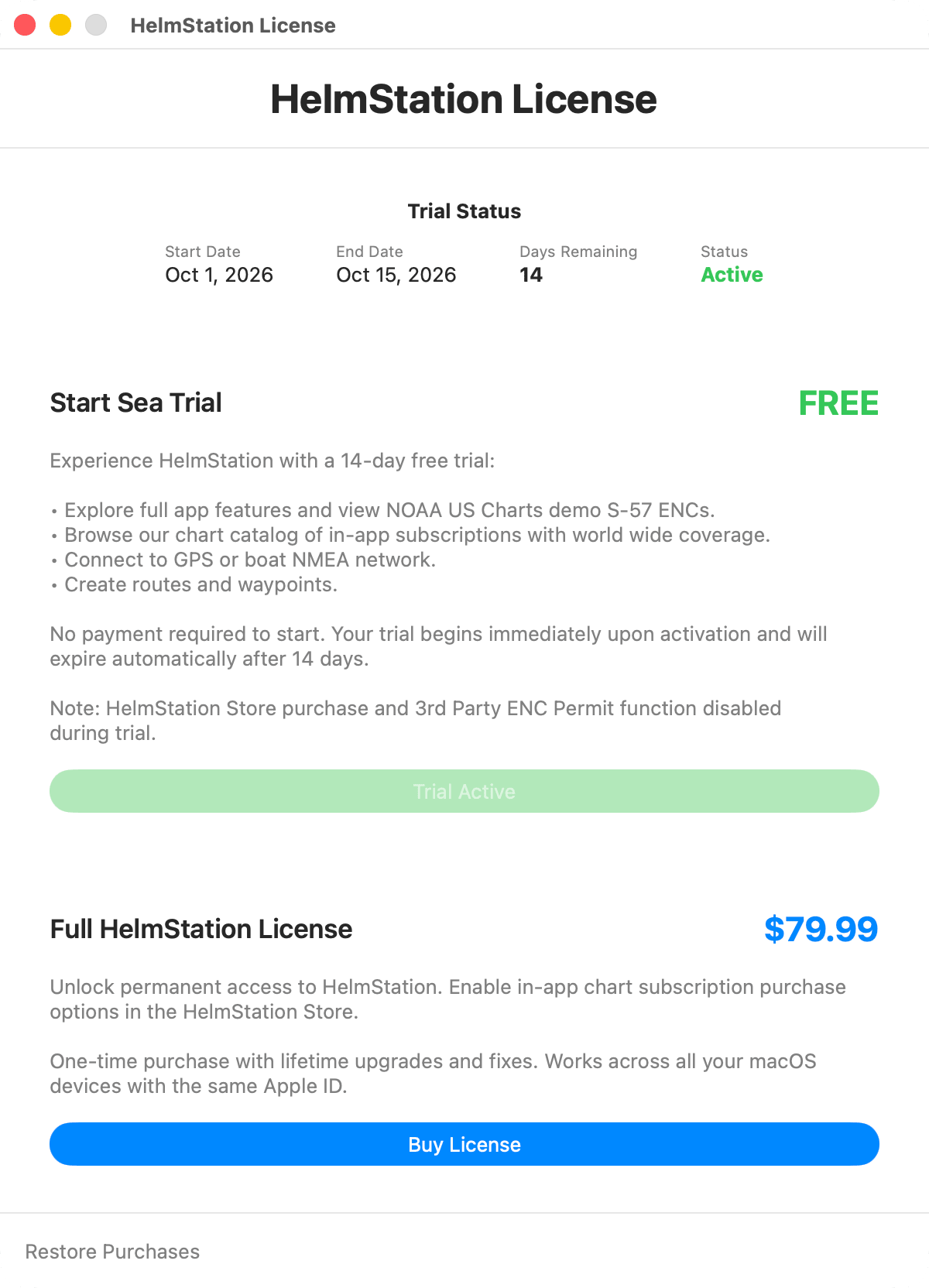
When the trial ends, the License window stays open until you buy a Full License or quit. The NOAA charts installed during the trial are removed from your Mac. HelmStation notices that the trial has ended the next time it opens with an internet connection, and removes the charts the time after that.
Full License
The Full HelmStation License is a one-time purchase that includes lifetime upgrades and fixes. It works on every Mac signed in to the same Apple Account. Click Buy License, then complete the purchase with your Apple Account. When it’s done, Apple shows “You’re all set. Your purchase was successful.” The price is shown in your local currency.
A Full License lets you buy charts in the HelmStation Store and use 3rd Party ENC permits. Chart subscriptions and the NOAA Chart Service are separate purchases.
MacENCx64 Registered Users
We are sending MacENCx64 Registered Users a coupon to redeem a HelmStation Full License at no charge. For more information, visit helmstation.com  . If you are a registered user and haven’t received one, contact support through the HelmStation contact page and ask for one.
Restoring your license
When you install HelmStation on another Mac, or reinstall it, sign in with the same Apple Account. HelmStation normally finds your license by itself.
If it doesn’t, click Restore Purchases in the License window. If HelmStation can’t find a license, check that you are signed in with the same Apple Account you used to buy it.
Checking your license
- File > HelmStation Chart Account shows your license in the Active License field. The value is Full, None, Trial — n days remaining or Trial — expired.
- File > HelmStation Store shows it in the status bar. The value is Full License, Trial Active (with the days remaining), Trial Expired or No License.
Refunds
Refunds are handled by Apple. To request one, go to File > HelmStation Chart Account, click Manage Account & Data Privacy, then click Purchases & Refunds…. If Apple refunds your Full License, HelmStation goes back to having no license and the License window opens again. See Your HelmStation Account.