Help Docs
HelmStation Online Documentation
Instruments
Your boat’s instruments give HelmStation your heading, speed through the water, depth, wind and water temperature. HelmStation shows them in the Instruments window and uses them in a few other places. To connect your instruments, see Connecting Your Instruments.
The Instruments window
Choose Instruments > Connect (⌘I) to open the Instruments window.
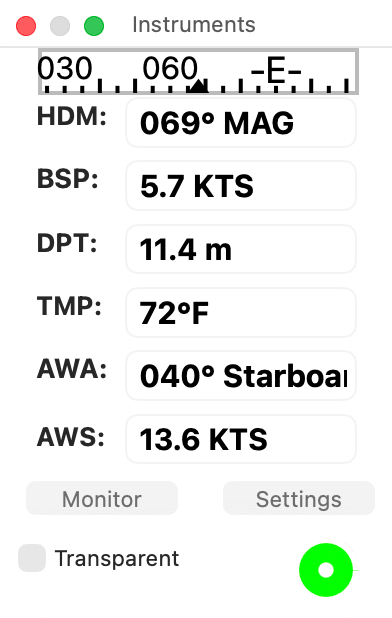
| Field | Shows |
|---|---|
| BSP | Boat speed through the water, from your speed log |
| DPT | Water depth, as your depth sounder reports it, including any transducer offset the sounder sends |
| HDM or HDT | Your heading, followed by MAG or TRUE |
| AWA or TWA | The wind angle off the bow, from 0° to 180°, followed by Port or Starboard |
| AWS or TWS | The wind speed |
| TMP | Water temperature |
Each field stays empty until your instruments send that reading, and all of them clear when the window disconnects. Speeds, depth and temperature use the units you choose with Select… in the Units group of HelmStation > Settings… (⌘,): Boat Speed for BSP, Wind Speed for AWS and TWS, Depth for DPT and Temperature for TMP.
The compass shows 90° of the card, with your heading at the center. During a Goto, a red dot marks the bearing to the waypoint, and when you are more than 0.01 NM (about 20 m) off the course line, an arrow at one end shows which way to steer back: red, pointing to port, or green, pointing to starboard.
The round light is green while HelmStation receives instrument data it reads, yellow when sentences arrive but none it reads, and red when nothing arrives. See Checking that data is arriving.
Transparent makes the window see-through, so the chart shows behind it. HelmStation remembers the setting.
Resize the window and the figures grow with it, for reading from the helm. View > Low Light darkens their backgrounds. The window hides while another app is active. For Settings and Monitor, see Connecting Your Instruments.
Apparent or true wind, magnetic or true heading
Choose HelmStation > Settings… (⌘,) and find the Instruments group.
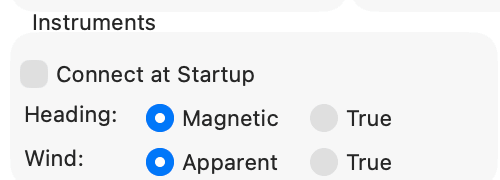
Wind chooses which wind the window shows. Both are measured relative to the boat.
- Apparent shows the wind you feel on board, labeled AWA and AWS. This is the setting HelmStation starts with.
- True shows the wind with your own motion taken out, labeled TWA and TWS.
HelmStation shows the wind your instruments send. It doesn’t work out true wind from apparent wind, so choose True only if your wind instrument or instrument system sends true wind.
Heading chooses between magnetic and true heading.
- With Magnetic, the heading is labeled HDM, followed by MAG. This is the setting HelmStation starts with.
- With True, the heading is labeled HDT, followed by TRUE.
HelmStation shows only the kind of heading you choose, so choose the kind your compass sends. An electronic fluxgate compass usually sends magnetic heading; a satellite compass sends true heading.
The labels change when the first reading of the chosen kind arrives.
Where HelmStation uses instrument data
Your boat on the chart. In the Position Icon group of Settings, set Orientation Source to Instruments to point the boat along your heading instead of your course over ground. A magnetic heading is first corrected with the variation in the Variation group. Until a heading arrives, the boat is a circle. See GPS and Position and Magnetic variation.
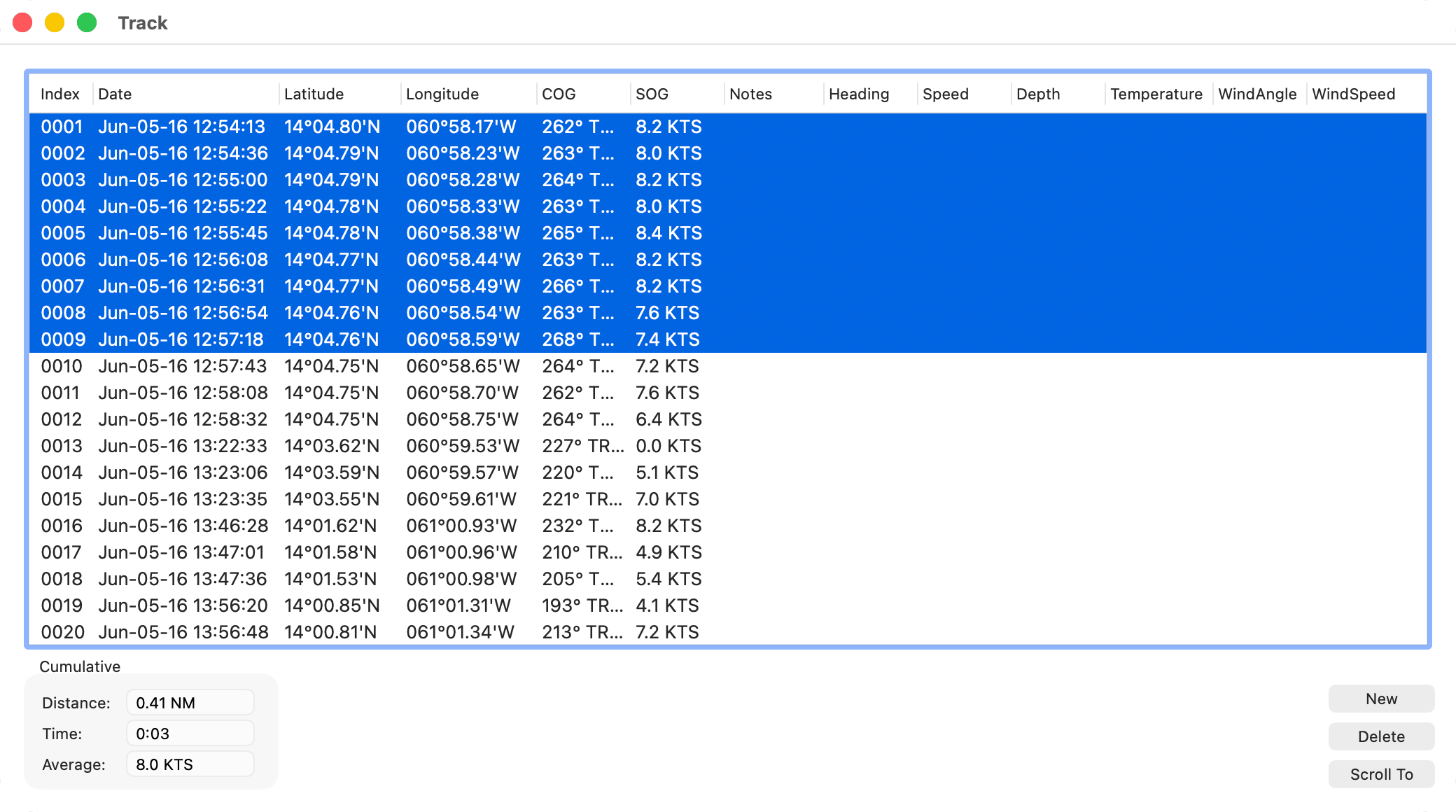
Tracks. Each point recorded in your track keeps the heading, boat speed, depth, water temperature, wind angle and wind speed at that moment, along with the position. Choose Track > Instruments to show them as extra columns in the Track window: Heading, Speed, Depth, Temperature, WindAngle and WindSpeed. Choose it again to hide them. See Tracks.
Depth Alarm. Instruments > Depth Alarm warns you when the depth shown in DPT reaches the Water Depth set in the Alarms group of Settings. It becomes available once your sounder has reported a depth, and doesn’t need a GPS position. See Alarms.
Practicing. GPS > Simulate also sends simulated heading, boat speed, depth, water temperature and wind. The Instruments window shows them if it reads from the GPS connection (see Sharing one port and Simulating).